
Original article (Chinese): 学会这些 AI 基本常识,你也能把老板忽悠瘸了
Hello, everyone!

A reader recently left a message asking what a CLI is.

That stopped me for a moment. How could someone still be reading my articles without knowing what the term means?
Clearly, I had not done my job well enough if some readers still had this blind spot.
So I decided to write a quick introduction to several basic concepts that may be unfamiliar. If nothing else, perhaps everyone who finishes it will be able to impress a boss who knows even less.
1. CLI
Let’s begin with CLI.
CLI stands for Command Line Interface. Unlike the graphical interfaces where we operate a computer through icons, a CLI lets us control it directly with a sequence of commands.
Its most important characteristic is that it is not naturally pleasant for humans to read or use—but it is very well suited to agents.
Why?
Consider Lark CLI, for example.
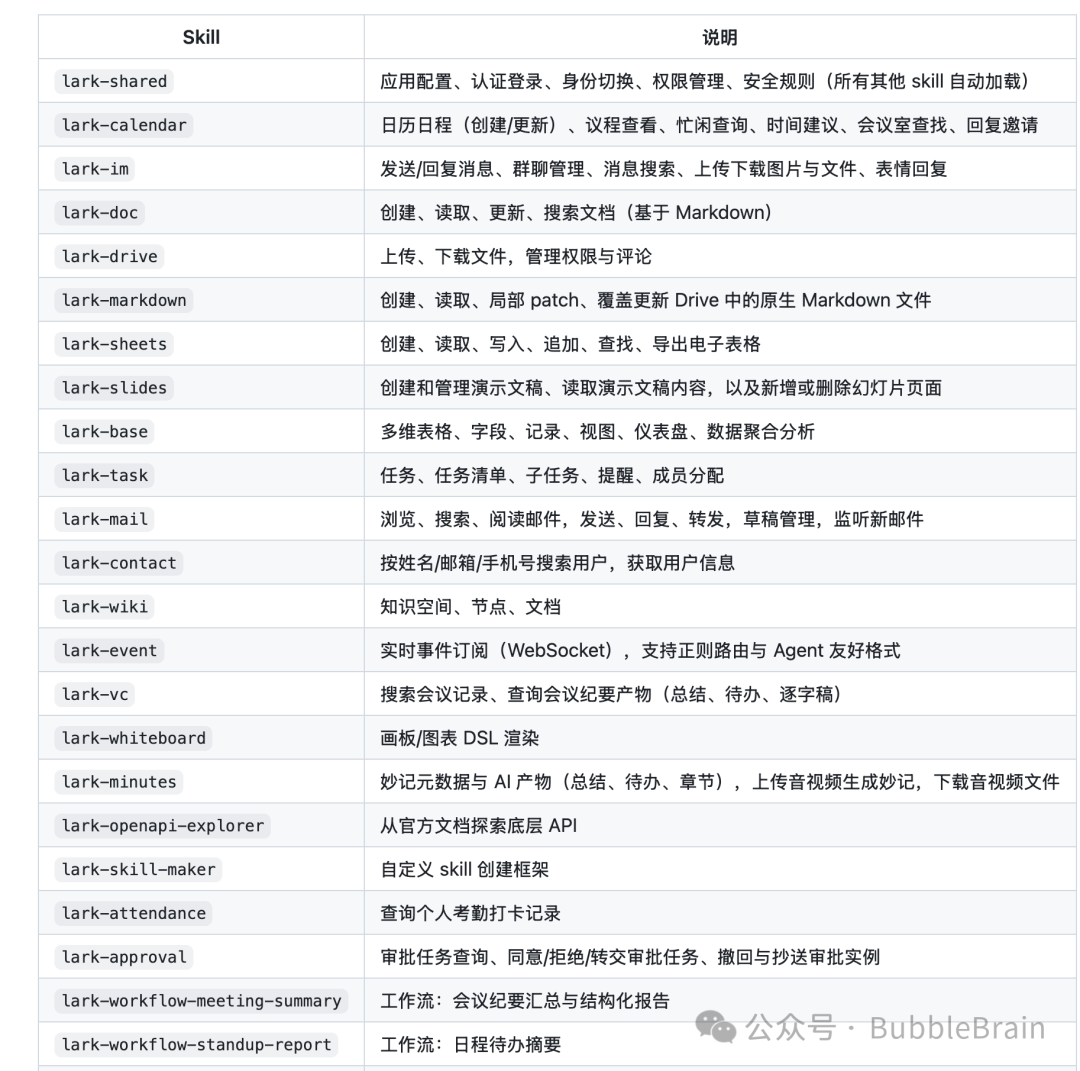
It operates Lark through a large collection of commands. A human has to understand them, memorize them, and then practice repeatedly before becoming proficient.
An agent does not face the same difficulty. To an agent, this is simply a manual: once it reads the instructions, it knows how to use the tool.
Graphical user interfaces, which humans use constantly, can actually be more painful for agents. A GUI is designed around human vision and intuition. The location of a button, the way a menu expands, and the mechanics of dragging all depend on implicit knowledge built from visual understanding and spatial memory.
When an agent operates a GUI, it must imitate a person—look at the screen, find a button, and click it. That is less efficient and more vulnerable to interface changes.
Today’s agents are powerful enough that teaching one to use a CLI is often simple. Give the tool to the agent and it can usually work out the rest itself.
For example, you can ask directly, as shown below:
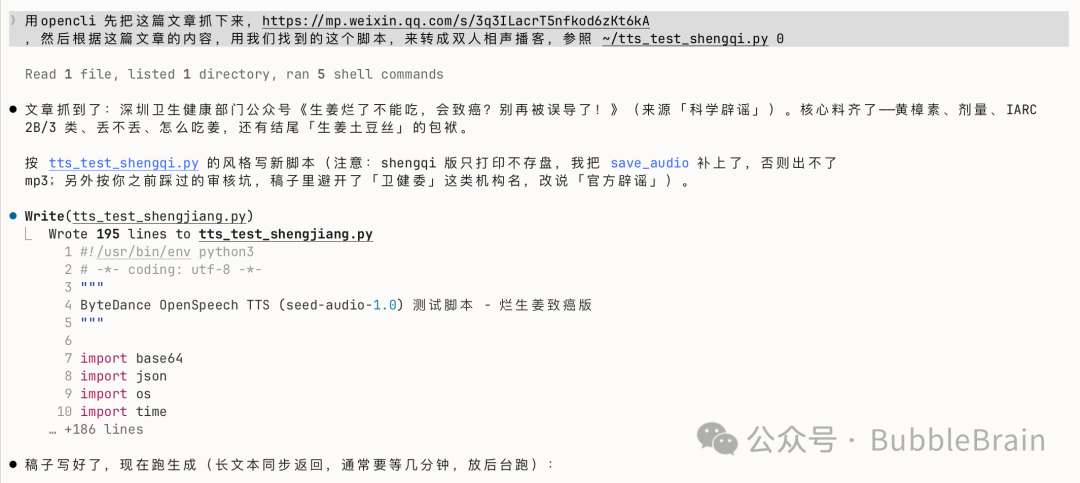
The agent will work out how to complete the task.
2. Harnesses
Harness was a popular term a while ago, and it has returned to the spotlight even as newer terms emerge. Their underlying ideas are often similar, but harness is still a concept worth understanding.
Here is a one-sentence definition that I saw online and found convincing.
Imagine riding a horse from a starting point to a destination. If the horse is the model, then everything that helps the horse travel from the start to the finish can be called the harness.
Why use a horse as the metaphor?
Because a harness literally means the equipment used to control and guide a horse.
What, then, is harness engineering?
It is the design of an environment around a model that allows it to work reliably and continuously until it completes a task.
Put more simply, tools we use every day—Codex, Claude Code, WorkBuddy, and others—are all harnesses.
One point deserves special attention:
The same model can perform very differently in different harnesses. Look at the benchmarks model vendors include with their releases.
Terminal-Bench is one example.
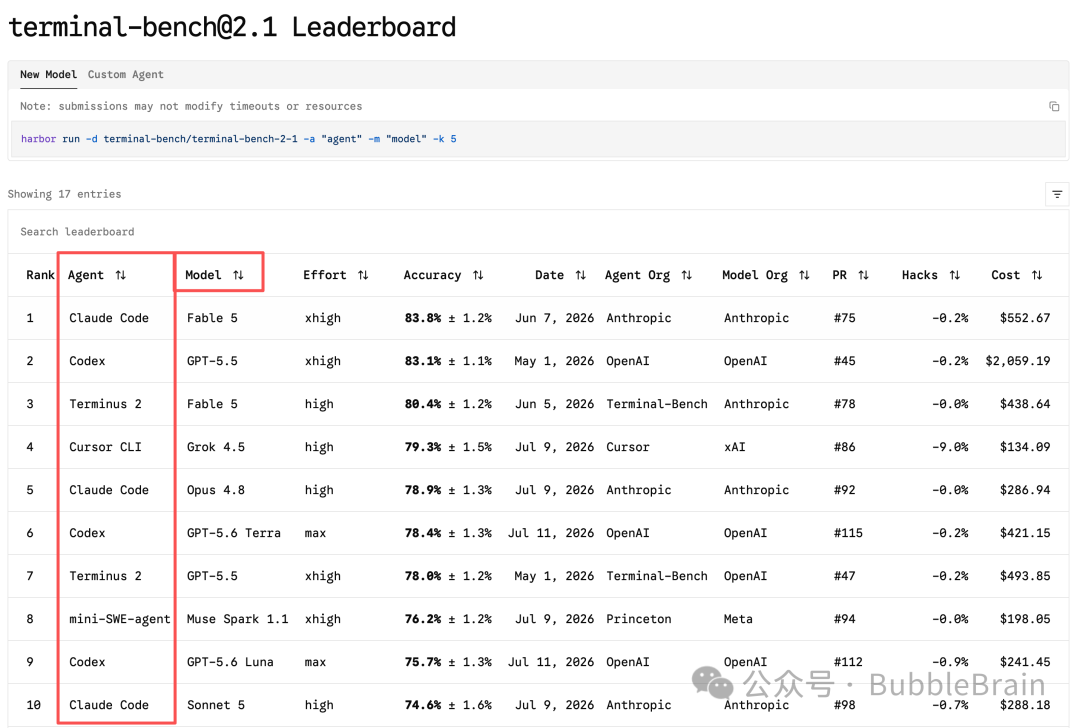
Alongside the model column, it also identifies the harness being used.
Artificial Analysis, another site many people know, does something similar.
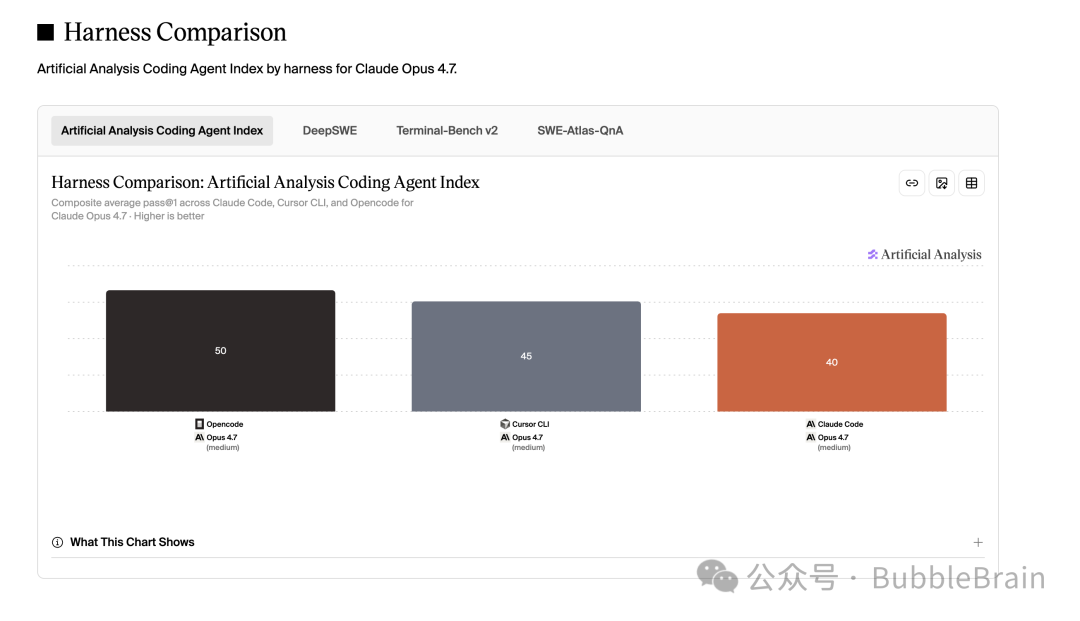
It provides a dedicated benchmark comparing different harnesses while holding the model constant.
That explains a common experience in everyday use:
“Why does the same GLM 5.2 model feel different in Claude Code and Cursor?”
3. Skills
I am unilaterally declaring Skills the hottest AI term of the year.
Much of what makes today’s agents seem capable of almost anything comes from skills.
In simple terms, a skill is a manual for an agent written in Markdown, sometimes accompanied by supporting resources.
I believe any action repeated more than three times is a candidate for a skill that improves efficiency.
Take writing a weekly report.
You have to prepare and submit one every week. At first, an agent does not know how to write it for you. You need to tell it where to read your work documents, how to summarize them, how to format the report, and where to save the finished file on your computer.
That recurring workflow can be turned into a skill. The skill records where the work documents live, what the report must contain, how it should be formatted, and where the result should be stored.
The next time you need a weekly report, you no longer have to explain all those requirements again.
Seen from another angle, skills are personal assets that accumulate over time.
You can use Claude Code today, Codex tomorrow, and WorkBuddy the day after. The harness may change, but your skills can travel with you and work wherever you place them.
4. HTML
Ancient HTML seems to be enjoying a renaissance in the AI era.
HTML is a markup language. Its tags tell a browser what a web page should look like.
HTML itself is not the exciting part. What matters is that AI has become increasingly good at building attractive front-end pages, and it can do so very quickly. Humans are visual creatures, so we now see many new things derived from HTML.
One familiar example is the HTML presentation deck.
GitHub already hosts all kinds of projects for building presentations in HTML. Almost any one of them can give a nontechnical boss a small dose of visual shock and awe.
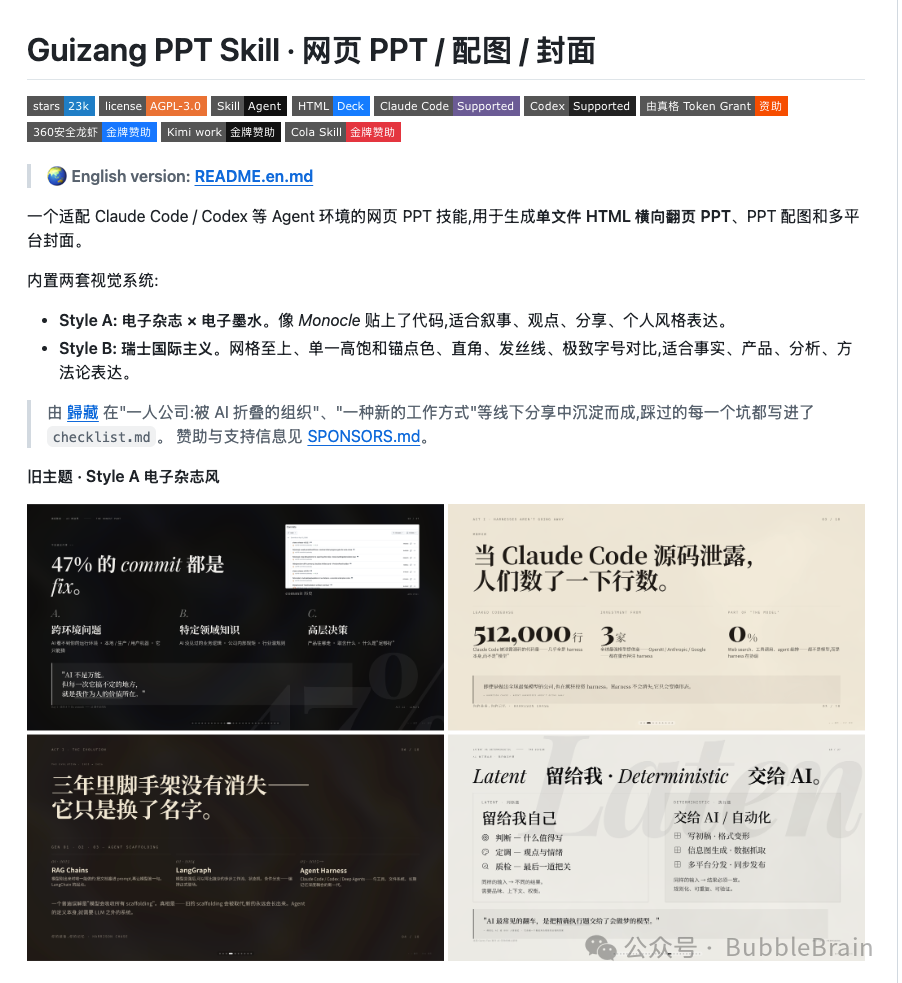
I particularly recommend Guizang’s presentation skill, which I have seen many people use.
One caveat is worth emphasizing:
HTML presentations are currently more convenient for informal, in-person demos. For formal occasions, conventional presentation files are still a better choice, mainly because other people can edit and inspect them more easily.
Another popular use of HTML is video production.
Yes, HTML can be used to make videos.
HeyGen, a company known for digital avatars, created a library called HyperFrames specifically for making video.
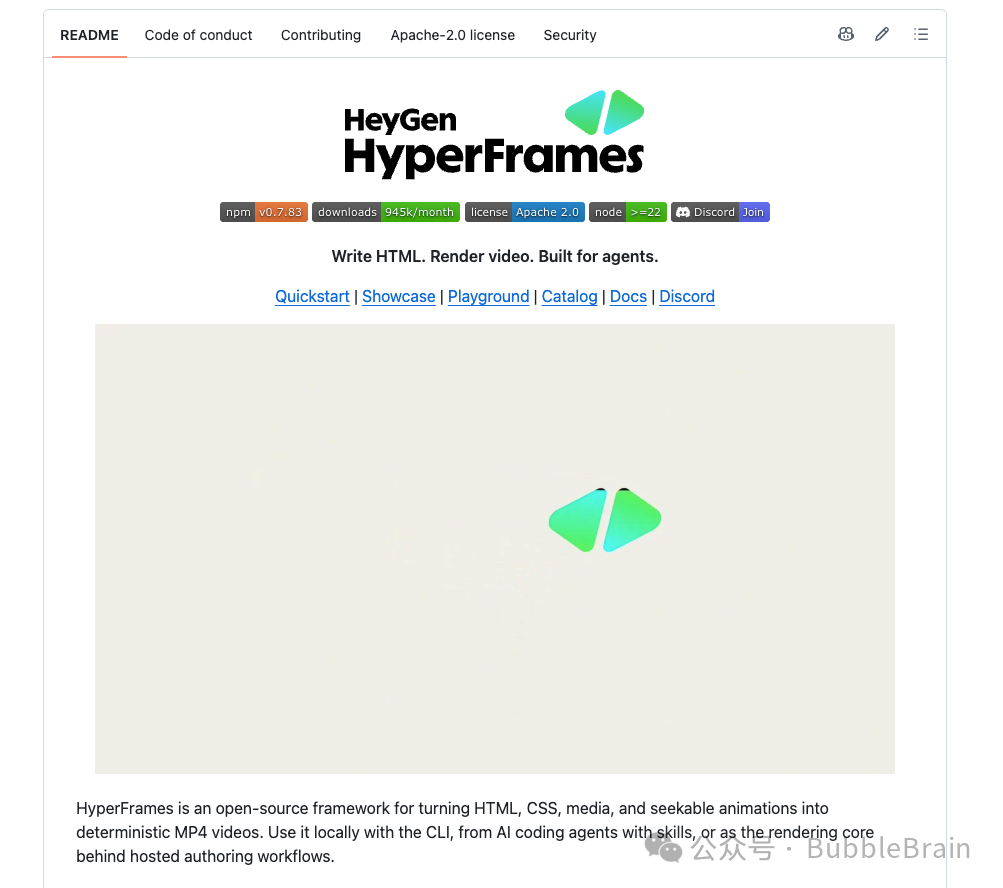
You do not need to write the HTML yourself. Give this library to your agent, let it learn the tool, and the agent can help you build videos with it.
npx skills add heygen-com/hyperframes --full-depthIf that still does not work, try searching the WorkBuddy or Codex plugin marketplace; the relevant tools are available there.
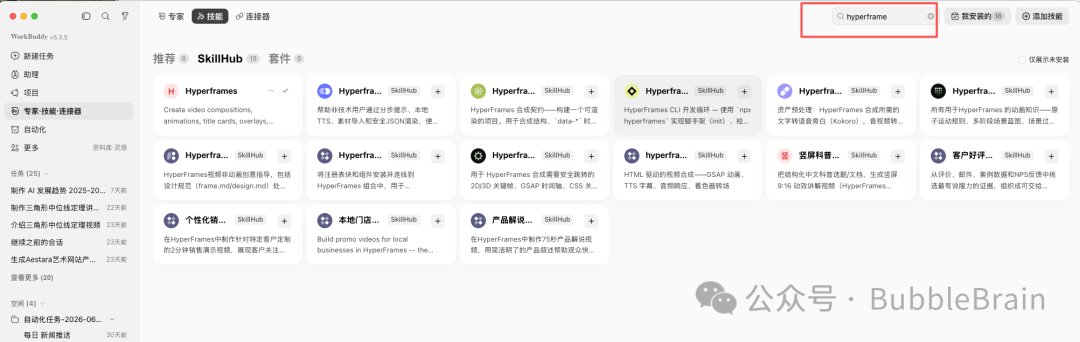
A search for HyperFrames in WorkBuddy’s expert-skill connectors returns this many related skills. That should make its popularity clear.
One more warning: different models produce different results with HyperFrames.
In my own tests, models that are strong at front-end development tend to produce better results.
5. GitHub
Programmers are certainly familiar with GitHub. Traditionally, it has been a place where developers collaborate and host code.
But AI now gives everyone the ability to create their own products, so I think GitHub’s role can be understood more broadly.
It is becoming a Doraemon-style magic pocket for everyone.
Creators and companies around the world publish interesting things there. You can take what they have built and create something new on top of it.
Often, standing on the shoulders of giants is the only way to see farther.
Here are a few basic GitHub concepts.
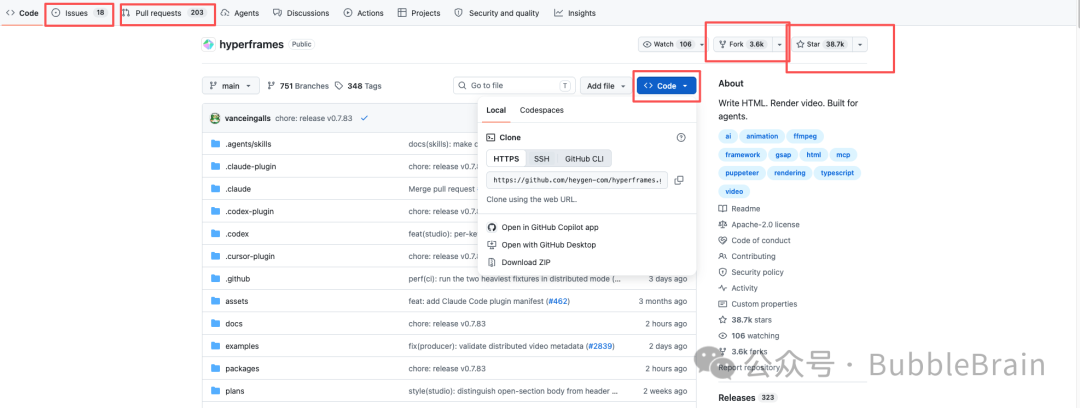
In a typical project, the areas we use most often are Issues, Pull Requests, Fork, Star, and Clone.
Let’s start with the simplest.
A Star is exactly what it sounds like. If you think a project is excellent, giving it a star is one of the best rewards you can offer its developers.
You can think of it roughly as a like or bookmark on a social platform.
An Issue, as the name suggests, describes a problem.
If you encounter a bug or have an idea related to the project, you can open an Issue. The developers can follow up and address it.
A Fork is useful when you like a project but want to make your own modifications. It creates a copy of the project in your own GitHub repository.
A Pull Request, usually shortened to PR, is what you submit after forking a project and making changes that you believe would benefit the original. The original author can review your work and decide whether to merge it into the main project. If they do, you become one of the project’s contributors.
Clone means copying a project to your local computer so you can modify it there. It differs from Fork in one important way: a Fork creates an independent remote copy under your GitHub account, while a Clone only copies the code to your computer; ownership of the GitHub repository remains with the original author.
Also remember that projects use different open-source licenses, each granting a different level of permission.
The HyperFrames repository mentioned above, for example, uses the Apache 2.0 license.
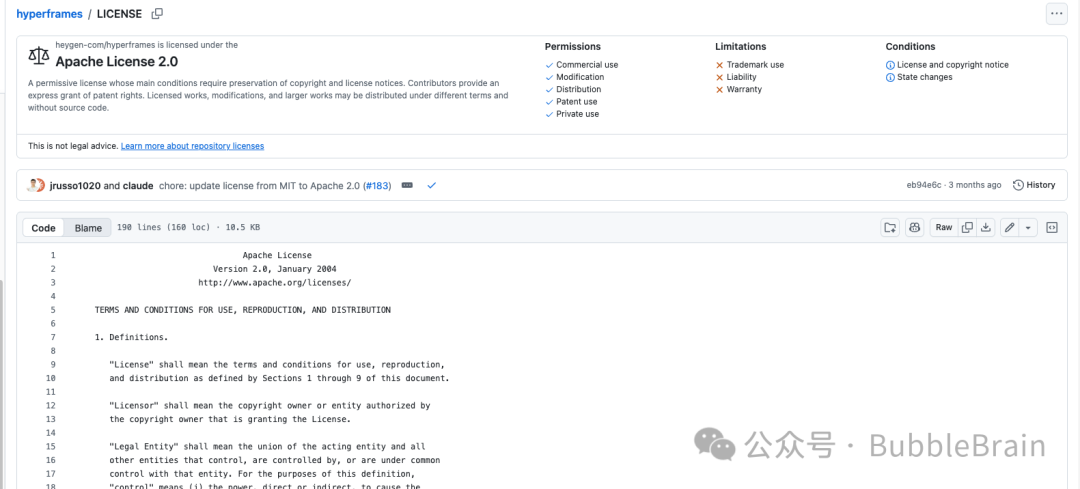
Open source does not necessarily mean free for every possible use.
If you are unfamiliar with open-source licenses, ask an AI assistant to explain one before using the project.
A final thought
That is all for today’s overview.
I think the greatest benefit of living in this era is the democratization of knowledge.
Things you once did not dare to imagine, attempt, or ask about can now be learned and achieved step by step with AI.
All I can say is this:
I love this world filled with the magic of AI.
If this article helped, feel free to like, recommend, or follow the original account. Add the account to your favorites so you do not miss future updates. Wishing you happiness, health, and success throughout 2026—and I look forward to seeing you next time.