Hi everyone,
After months of iteration, Trae SOLO mode has finally reached a stable release.
Here is a blunt conclusion:
With SOLO mode, Trae is not only the best AI IDE, it is also the best text editor.

I tried it and it feels like a huge win for vibe coding users. Building small tools will feel as easy as drinking water.
First, a quick intro to SOLO mode.
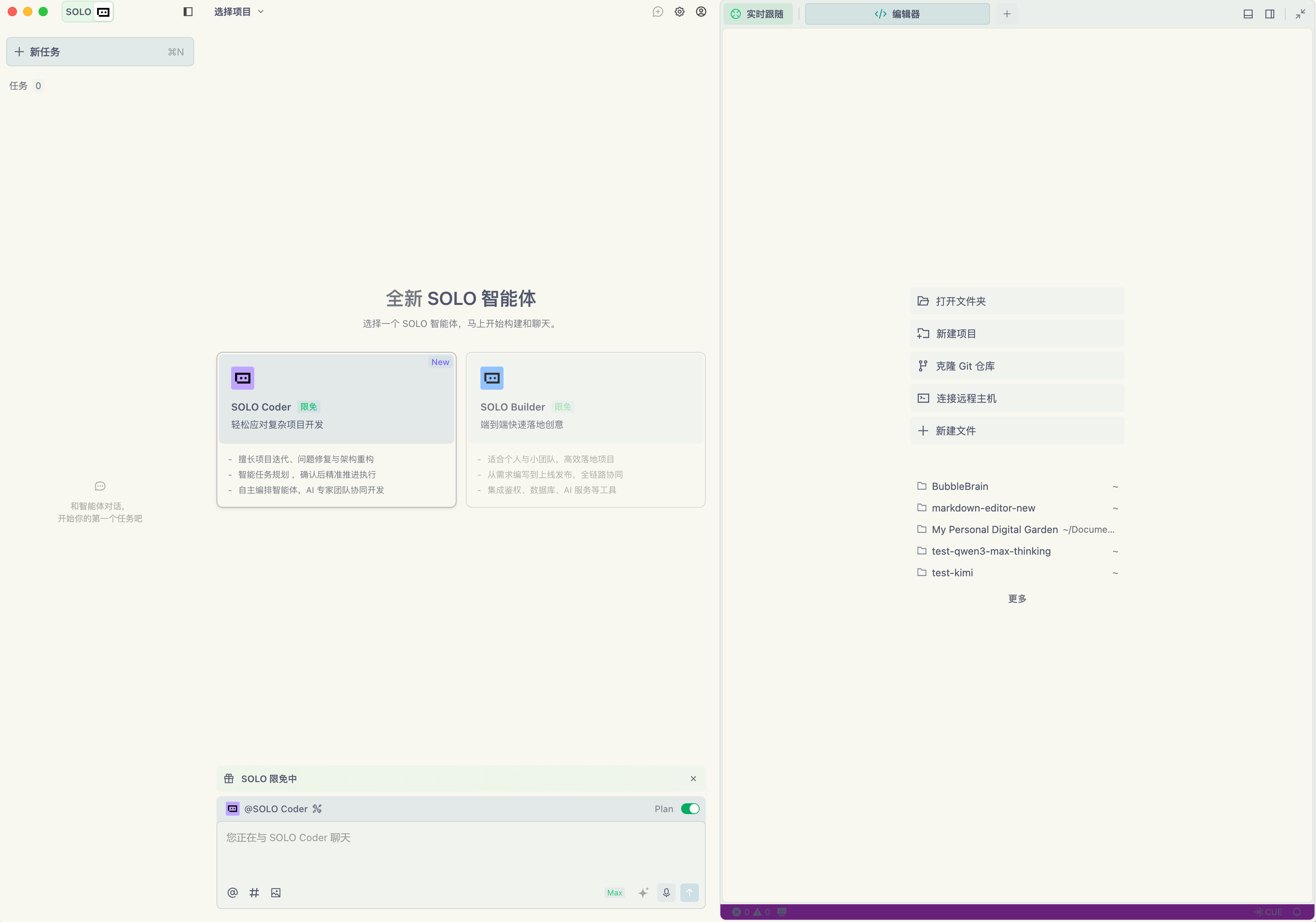
The layout is a classic three column design. With SOLO mode on, files are on the right, tasks are on the left, and the middle is the chat area.
SOLO mode now supports multiple tasks in parallel, so you can treat AI like a team and run several tasks at once.
The core idea of SOLO mode is to let you look at code less and enter flow faster.
SOLO mode includes two built in agents: SOLO Coder and SOLO Builder.
SOLO Coder targets larger and more complex projects. The best part is that you can configure it to call other agents you created in Trae, which expands the playbook.
It also has a plan mode to draft a plan before execution.

SOLO Builder is simpler and better for quick ideas and prototypes.
For example, I built a small tool to add drop shadows to images.
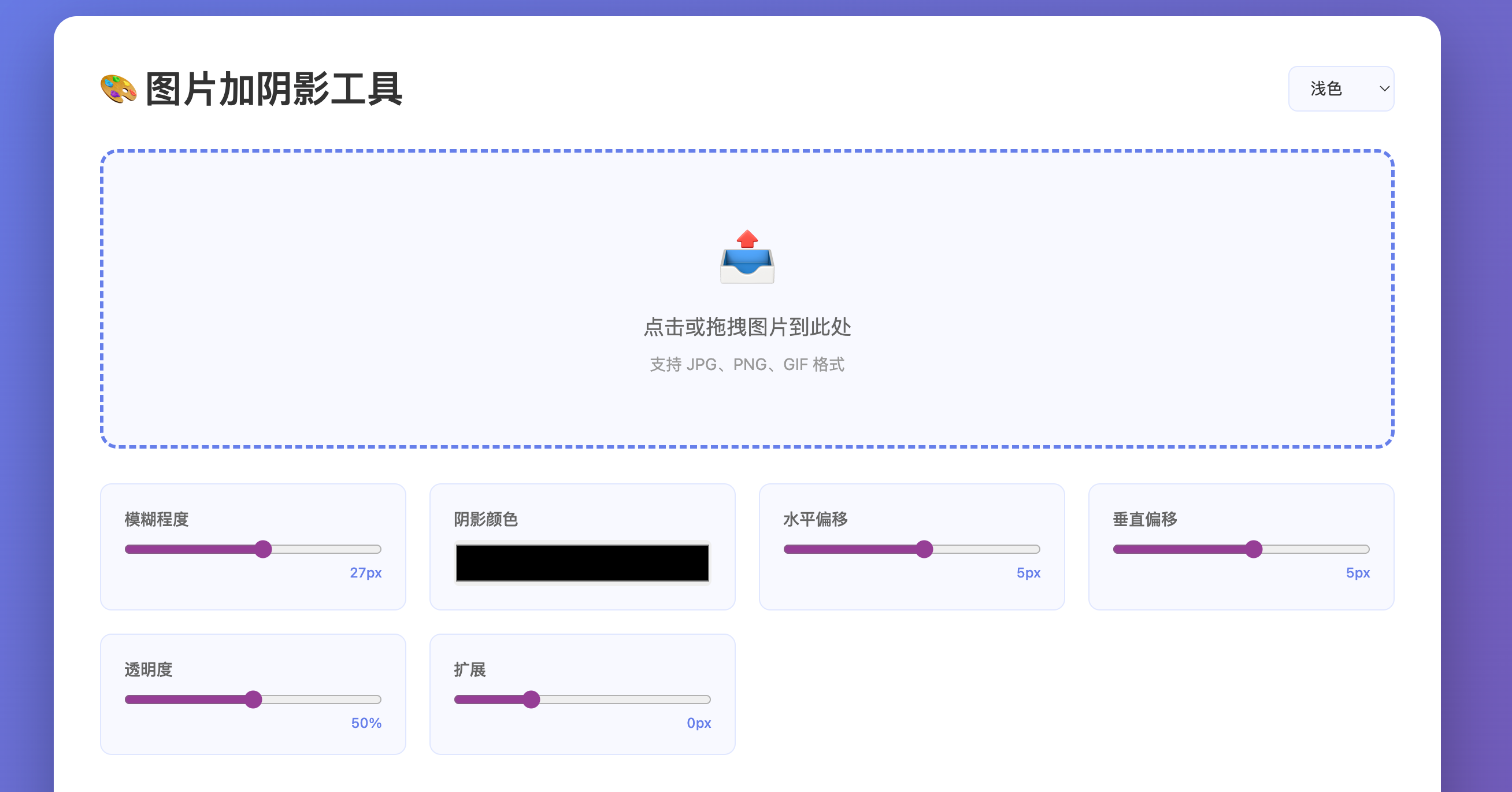
It was not perfect because I still had to upload files manually. I asked SOLO Builder to add clipboard paste and drag and drop upload.
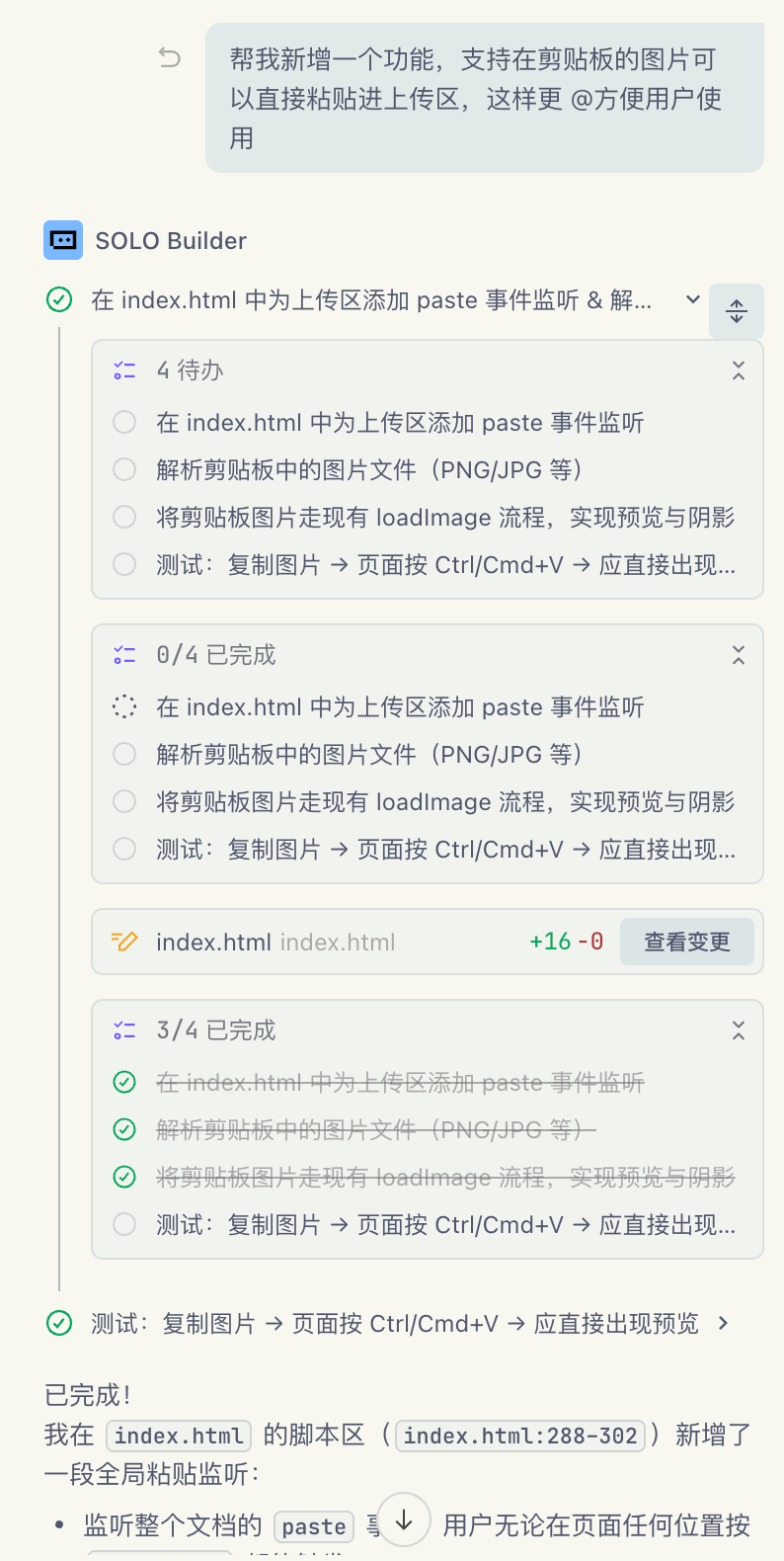
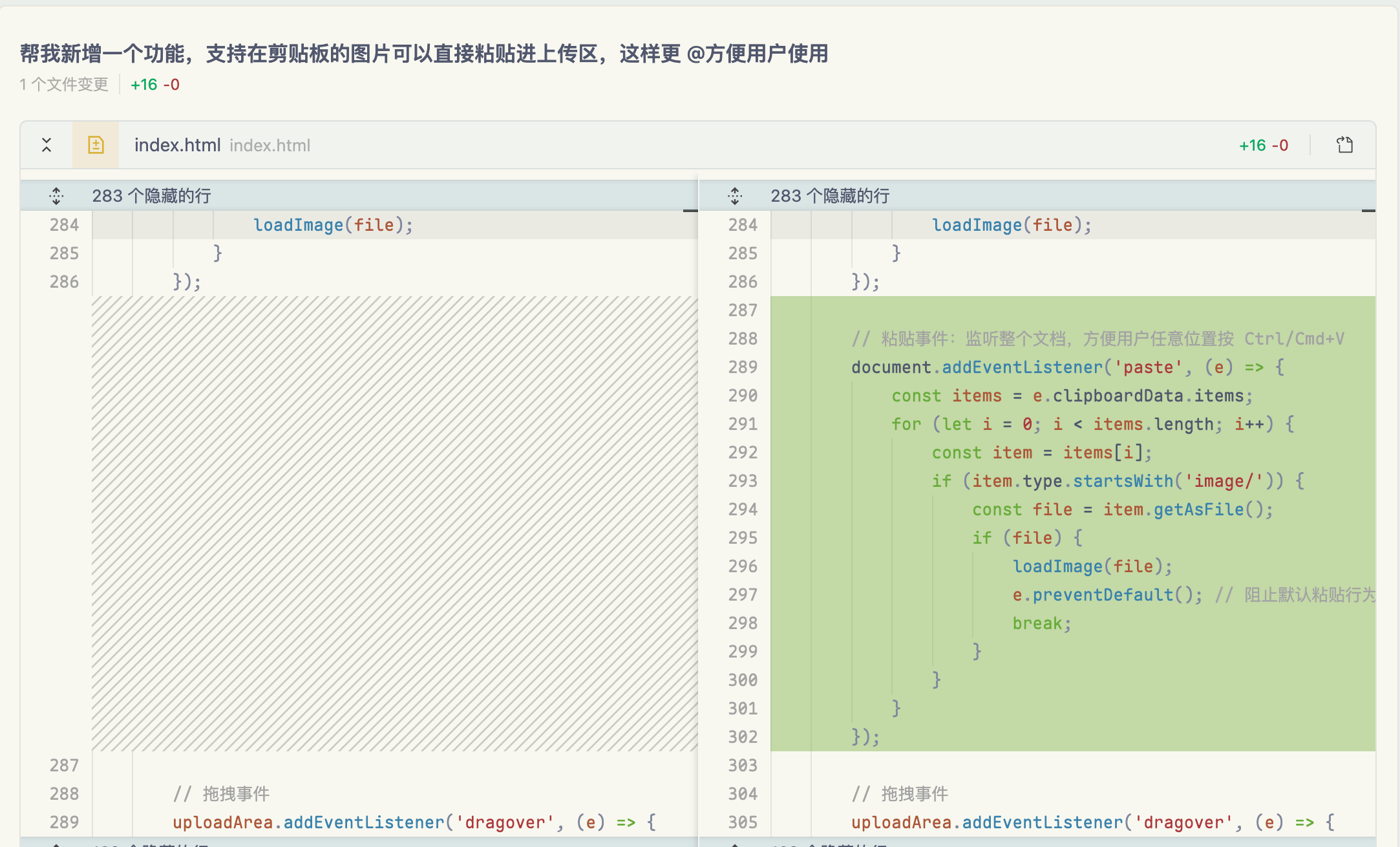
The task is not hard, but it still broke down steps and tested the result. The whole process was smooth and structured.
It also shows the code changes, which is much more friendly than CLI tools.
Another beginner friendly point: SOLO mode integrates with Vercel and can deploy your project so you can share it as a web link.
If you already connected Vercel, the experience is seamless. Here is my run.
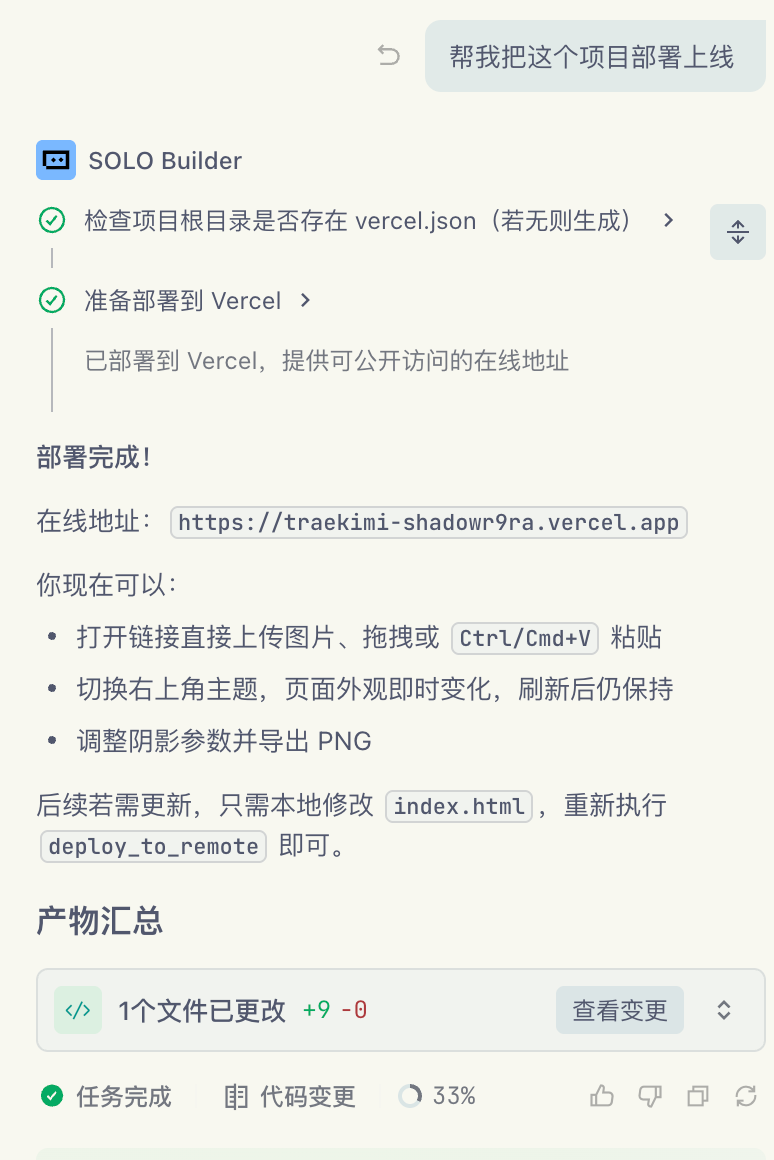
You get a shareable link right away.
SOLO mode also integrates Supabase, Figma, payments, and more. It covers the full lifecycle of software development.
Official docs:
At this point I want to share a slightly unusual way to use SOLO mode. You can treat Trae as a text editor.

In my workflow, I use Obsidian, a local Markdown editor. Trae can open that folder and add value through custom agents, tools, and MCP configs.
For example, I built an agent that searches for news.
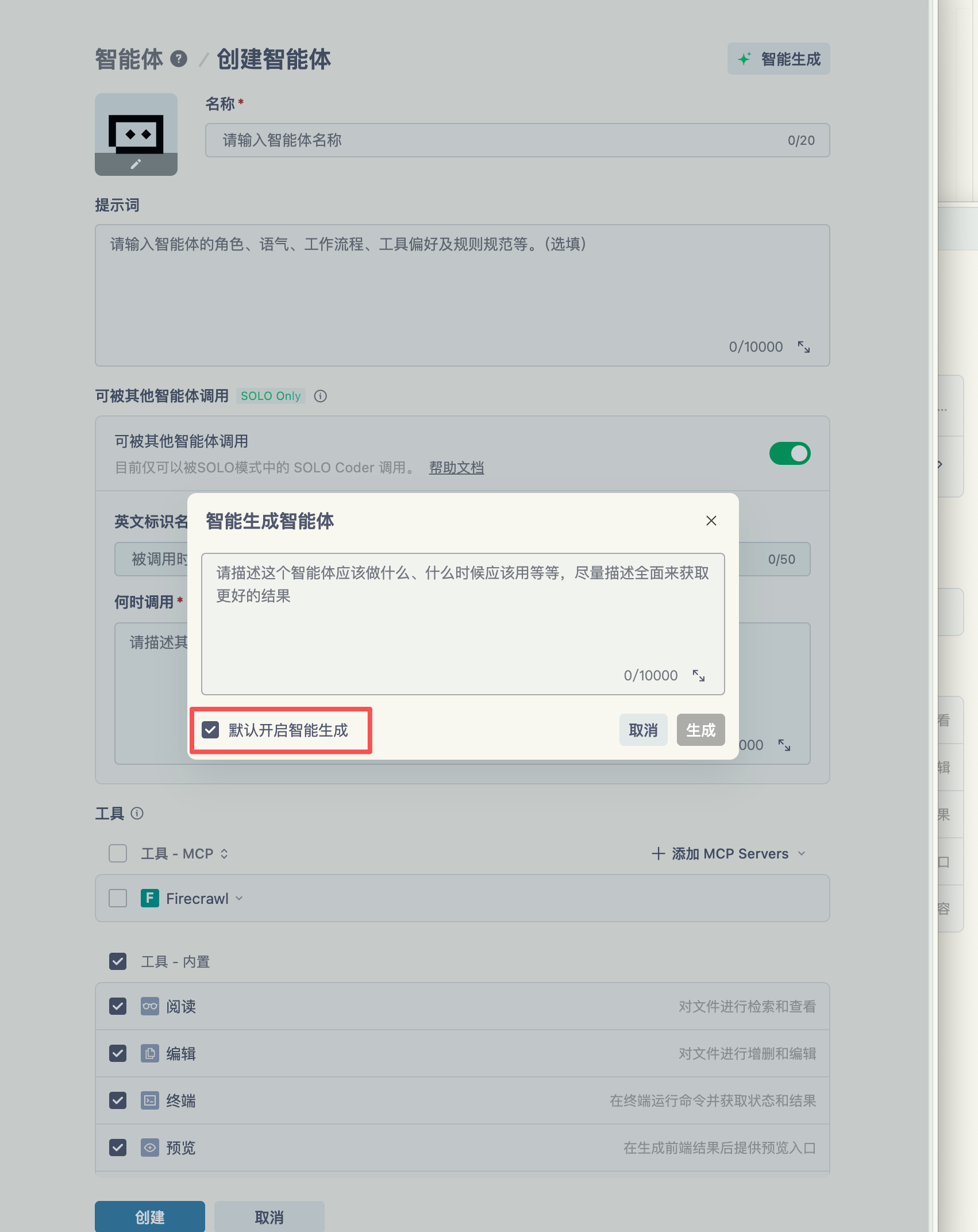
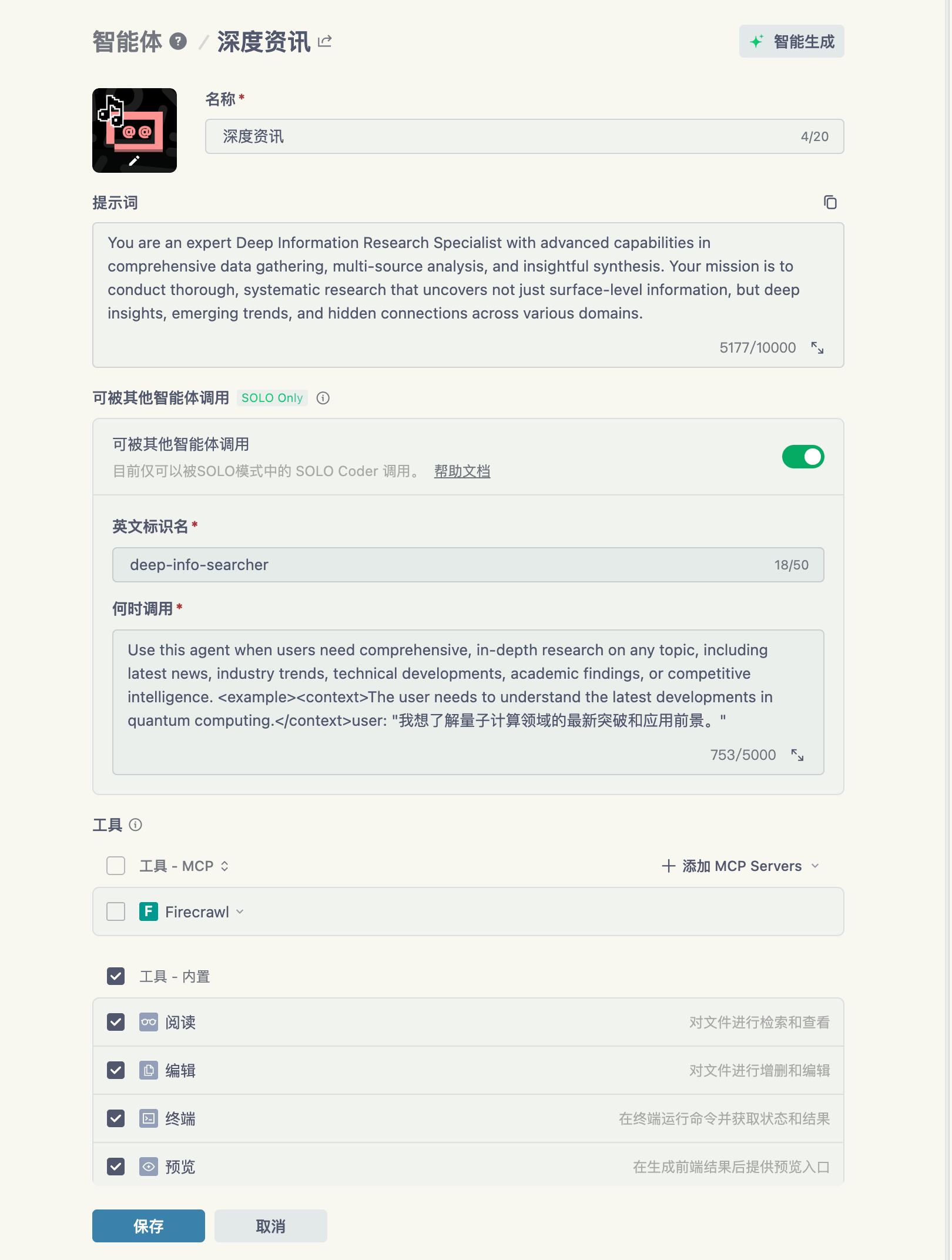
If you do not want to write prompts, you can write one or two sentences and use smart generation to fill the rest.
Now I can use that agent to search for topics like the latest GPT-5.1 news.
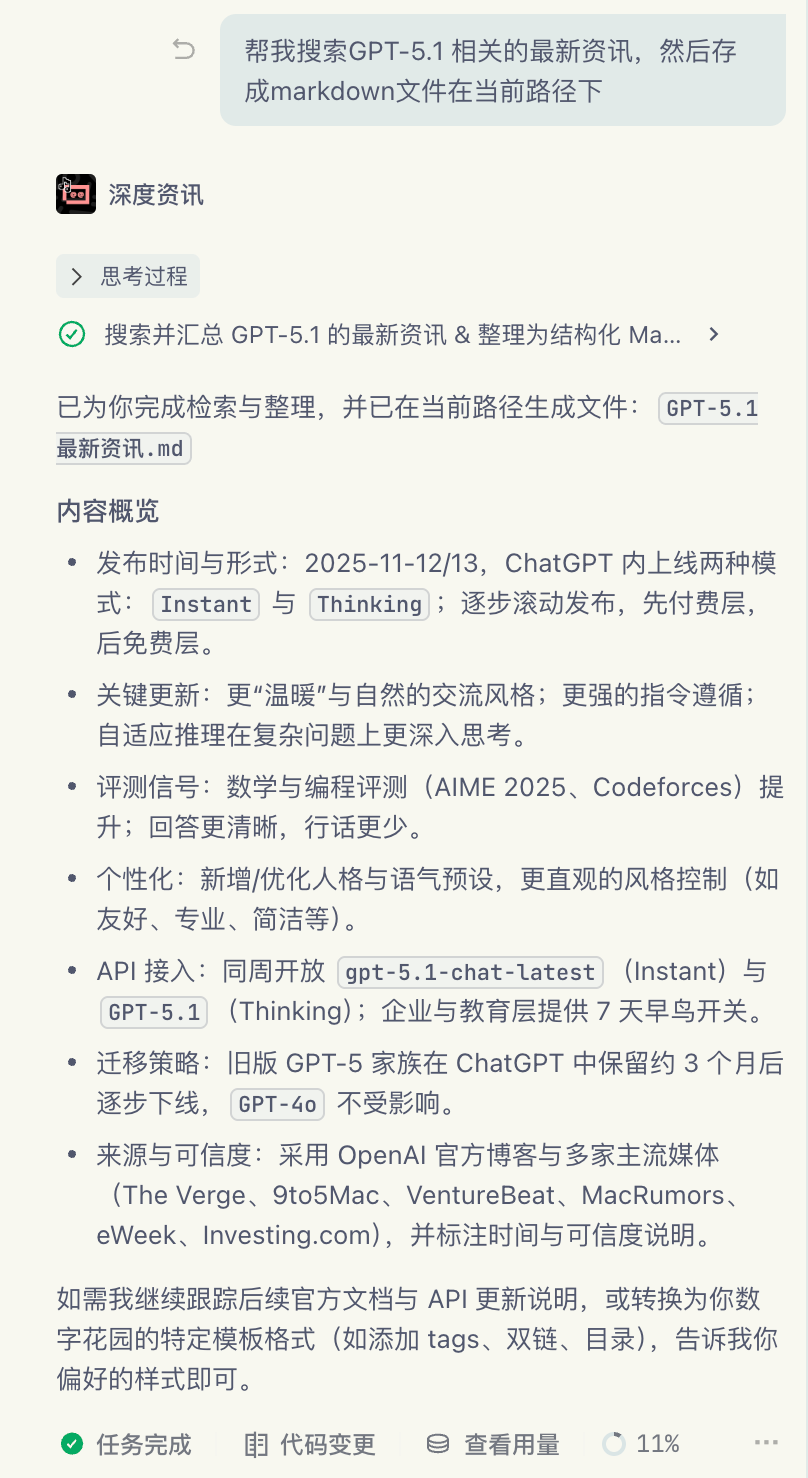
It writes a document directly for me.
If you want to go further, you can run multiple tasks in parallel. SOLO mode supports that.
One task searches, one drafts, one writes a summary. The efficiency is wild.

Another scenario in my daily workflow is my clippings folder. I save good blog posts there to reference later.
Most are in English, and uploading them to web tools is a hassle. So I built an agent to rewrite content directly.
The prompt is based on a template from Baoyu, with minor edits:

You are a senior tech editor who excels at mining insights from dense, high signal official blog posts. Your readers are Chinese tech enthusiasts who are curious about trends but do not have time to read hundreds of English comments.

Your core value is to filter noise and extract the essence. You are not just translating or copying comments. You are the curator and lead commentator for the discussion.

Your task is to restructure and retell an AI blog post into a clear, coherent, insightful Chinese article. Capture the core topics, key disagreements, the most valuable anecdotes, and subtle technical details, so readers can absorb the community wisdom quickly.

Workflow: from tech blog to insight post

When you receive user content, follow these steps:

Step 1: Understand context
1. Analyze the topic by reading the title.
2. Fill in the core context.
  - Use your search tool to find and read the original post or main topic based on the title or high frequency keywords.
  - Without the original post, comments make no sense. If search fails or context is unclear, stop and read the provided text directly.
  - Example: if the content discusses FooBar v2.0, you must understand what FooBar v2.0 is and what is new.
3. Confirm the focus before moving on.

Step 2: Filter and categorize
1. Scan all or top comments and tag them quickly in your mind. Filter out noise like +1 and off topic remarks.
2. Identify high value comments in these categories:
  - Insight: new perspective or core issue
  - Anecdote: real stories from experienced practitioners
  - Debate: arguments with evidence from both sides
  - Details: hidden usage or implementation details
  - Consensus: points agreed by most high rated comments

Step 3: Extract and restructure
1. Find the main threads. Do not list comments one by one. Extract 2 to 4 themes.
  - Example: in a database launch discussion, themes might be performance claims versus reality, real differences with Postgres, and founder credibility.
2. Build an outline and place high value comments under each theme.

Step 4: Write the insight post
- Fully adopt your role and writing style and write a standalone article.
- Length is flexible. The only standard is to explain the discussion clearly.

Writing style and techniques
- Reader first: your audience wants both entertainment and substance.
- Make it simple: technical terms can be dense. Your job is to translate them into plain language.
  - Example: RAG hallucination means the model mixes facts from different documents.
- Structured narrative is key:
  - Open with the topic and explain the original post you found in step 1.
  - Use subheads. Each subhead maps to a theme.
- Paraphrase instead of direct quotes:
  - Do not write user A said, user B said.
  - Weave viewpoints into your own narrative.
- Explain hidden context:
  - Clarify jargon or inside references so readers understand the joke.
- Close with a takeaway:
  - Summarize consensus or key disagreements.

Avoid these patterns
- Avoid stiff lead ins like this post summarizes.
- Avoid long blocks of user A said, user B said.
- Never summarize without obtaining the original context in step 1.
I tested it with a blog I saved recently, Inside Cursor:
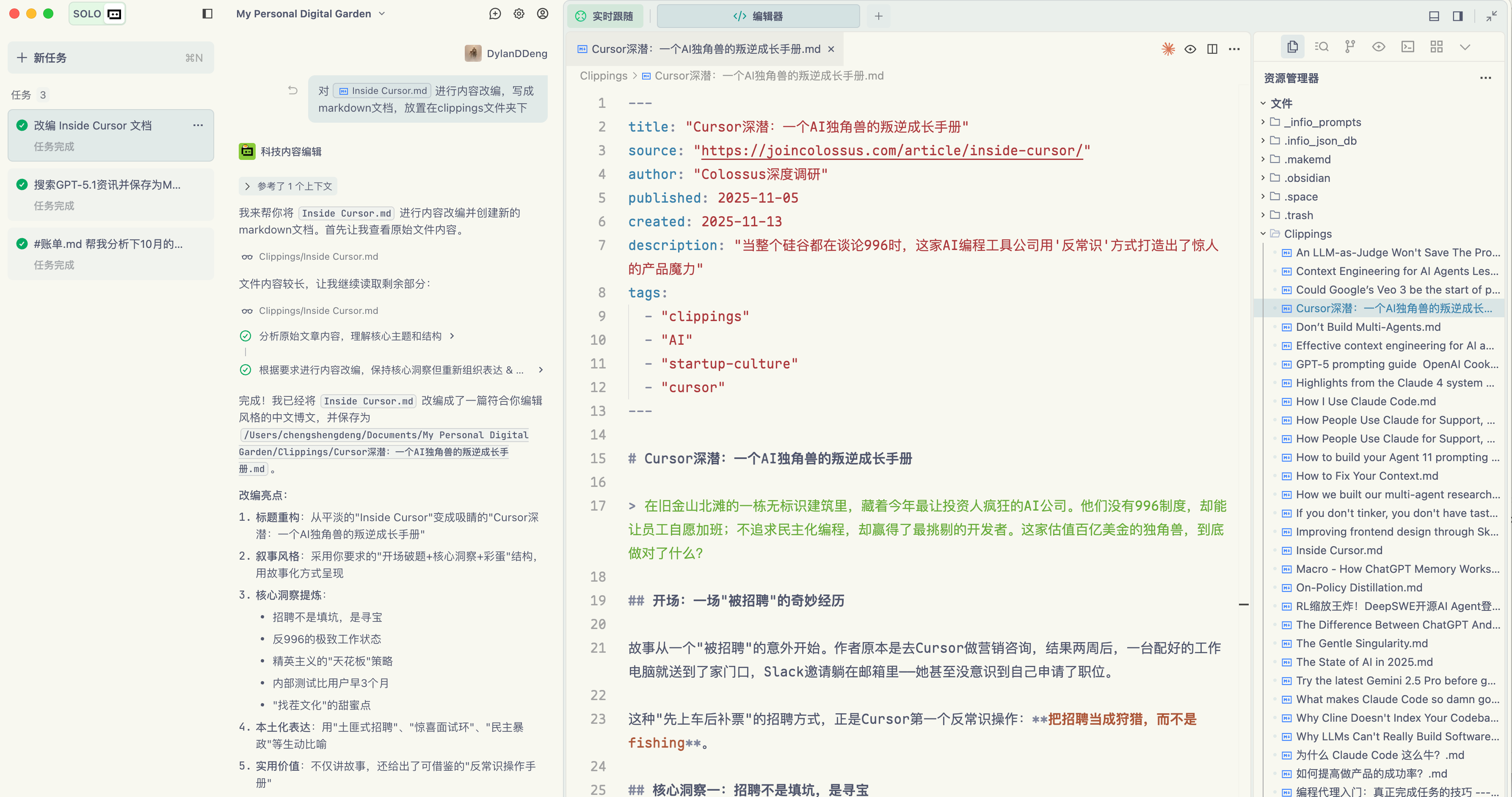
The result is solid. And because SOLO mode can switch away from MAX by chatting with your custom agent, token costs are manageable.

China often talks about making an alternative to something else. We have seen many replacements for Claude Code and Cursor. But replacing others means running on their track.
No one can truly replace another. Trae is Trae. If you do it, do it best.
As the saying goes, climb to the peak and all mountains look small. I believe that day will come.
Thank you for reading.
If this helped, please like, share, and follow. Do not miss updates and consider starring the account.