Hi everyone,
Meituan released its own AI IDE. Competition in China is intense, and Meituan is easily among the most aggressive.

In the past month they shipped models, papers, benchmarks, and now AI coding.

Their AI IDE is called CatPaw.
Download link: https://catpaw.meituan.com/
The only issue is that it currently supports macOS only. Windows is coming soon and is expected this week.

Windows users can wait a bit longer.
Overall impression: it is very similar to Cursor. If you are familiar with Cursor, you can switch with almost no friction.
Cursor at 20 USD is not enough for heavy use, and region issues make it hard to access some models. So I still hope local companies can build solid alternatives.
CatPaw supports two default modes, similar to Cursor: Ask and Agent.
Ask is chat only. It will not modify code unless you apply changes.
Agent will modify and run code automatically.
But I noticed a weird issue in Ask mode.
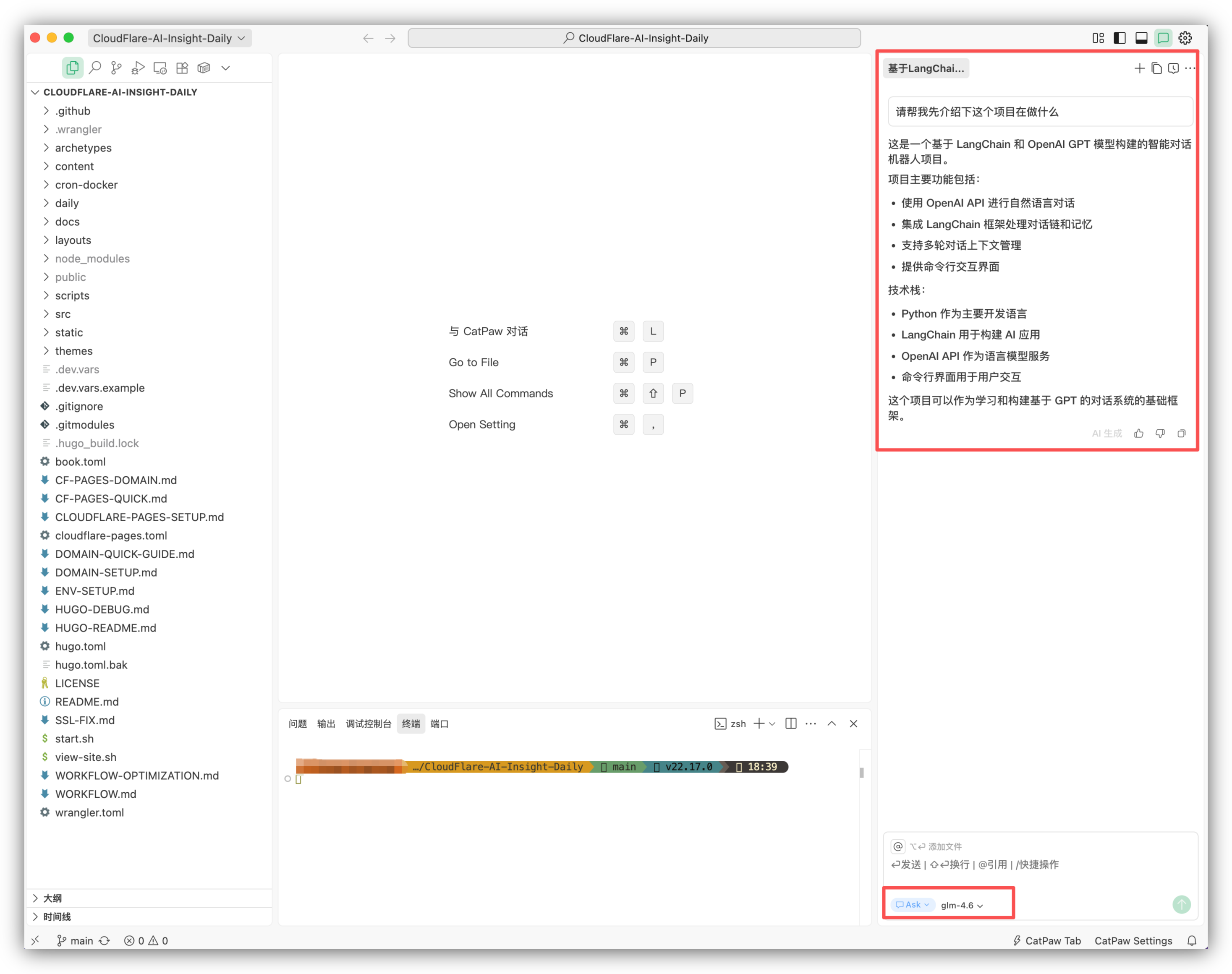
Ask mode seems unable to understand the project at all.
Compare with the correct answer in Agent mode:
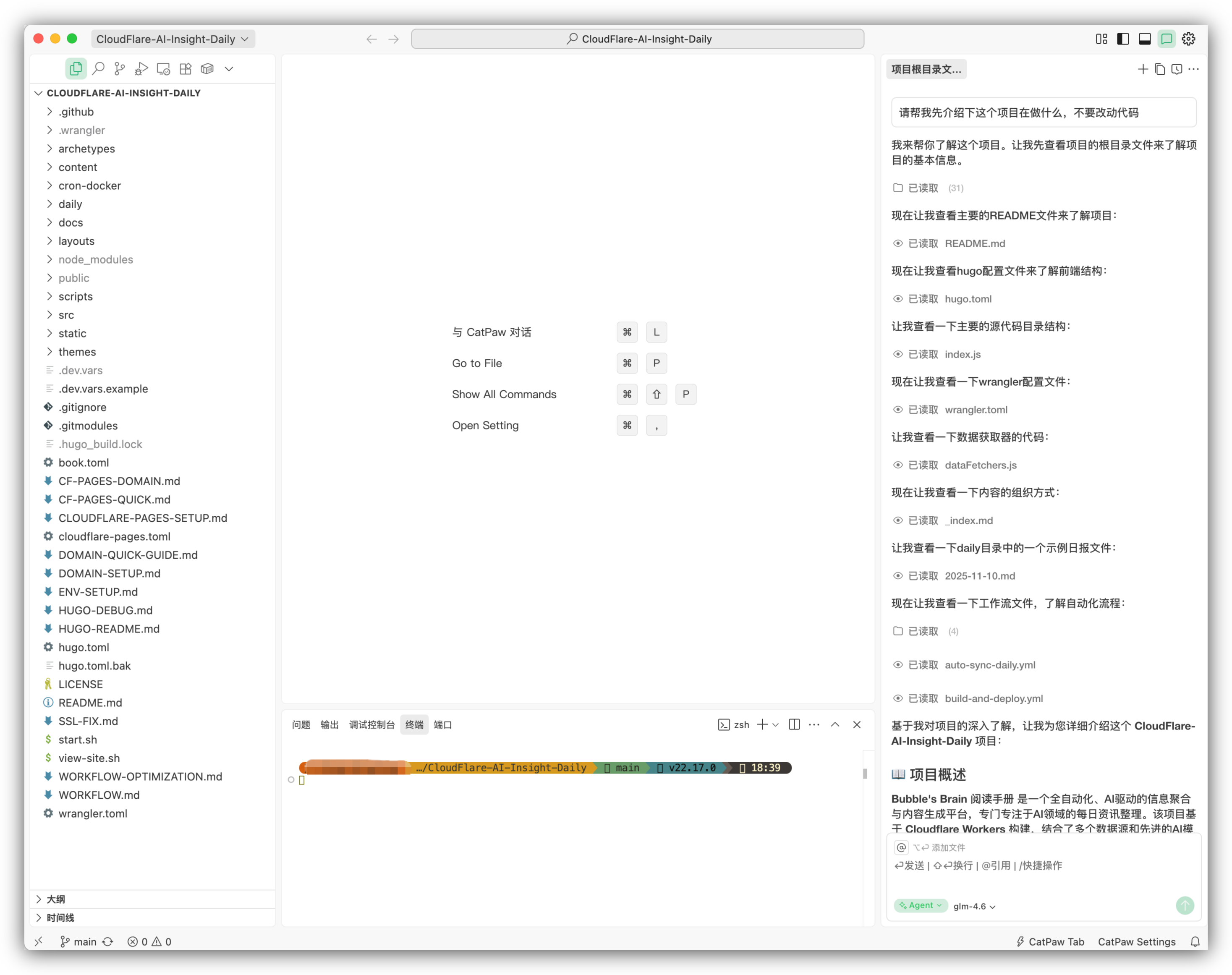
In Ask mode, each time I asked what the project does, it gave a different answer.

Not sure if this is just me, but I suggest avoiding Ask mode for now.
Beyond the default modes, CatPaw supports custom agents.
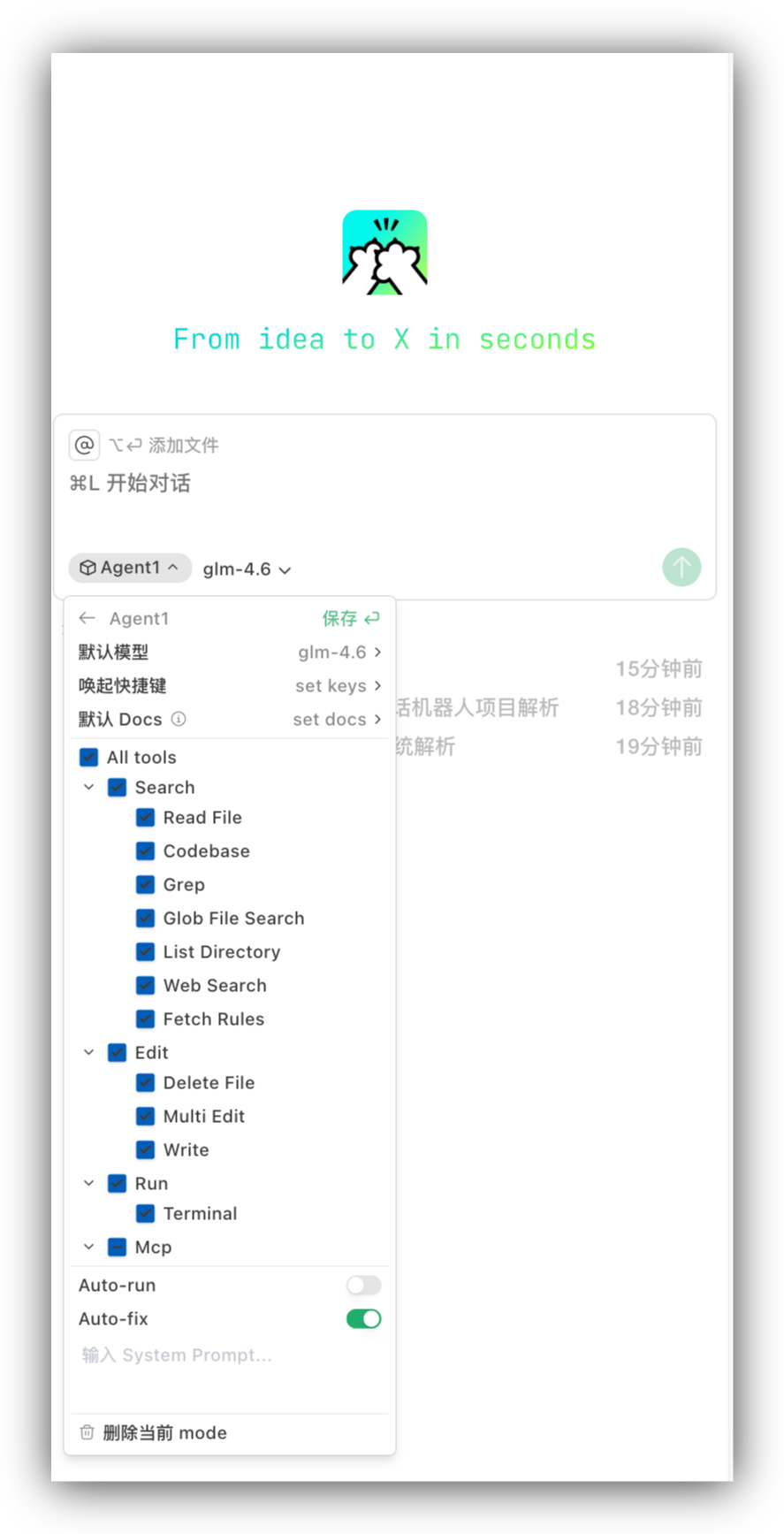
You can select a model, set a system prompt, choose MCP, and create your own agent.
On models, CatPaw supports longcat-flash as well as DeepSeek-V3.2 and GLM-4.6. It also supports third party providers and can connect to Claude via OpenRouter.


I used longcat-flash to build a new feature for my prompt library.
It currently looks like this:

It is good, but I wanted pagination with five cards per page.
Please add pagination to the prompt library page. There are 6 prompt cards. Make 5 cards per page.
First, longcat-flash is very fast. Cursor 2.0 Composer also claims speed, so this feels like a real alternative.

Now the result:
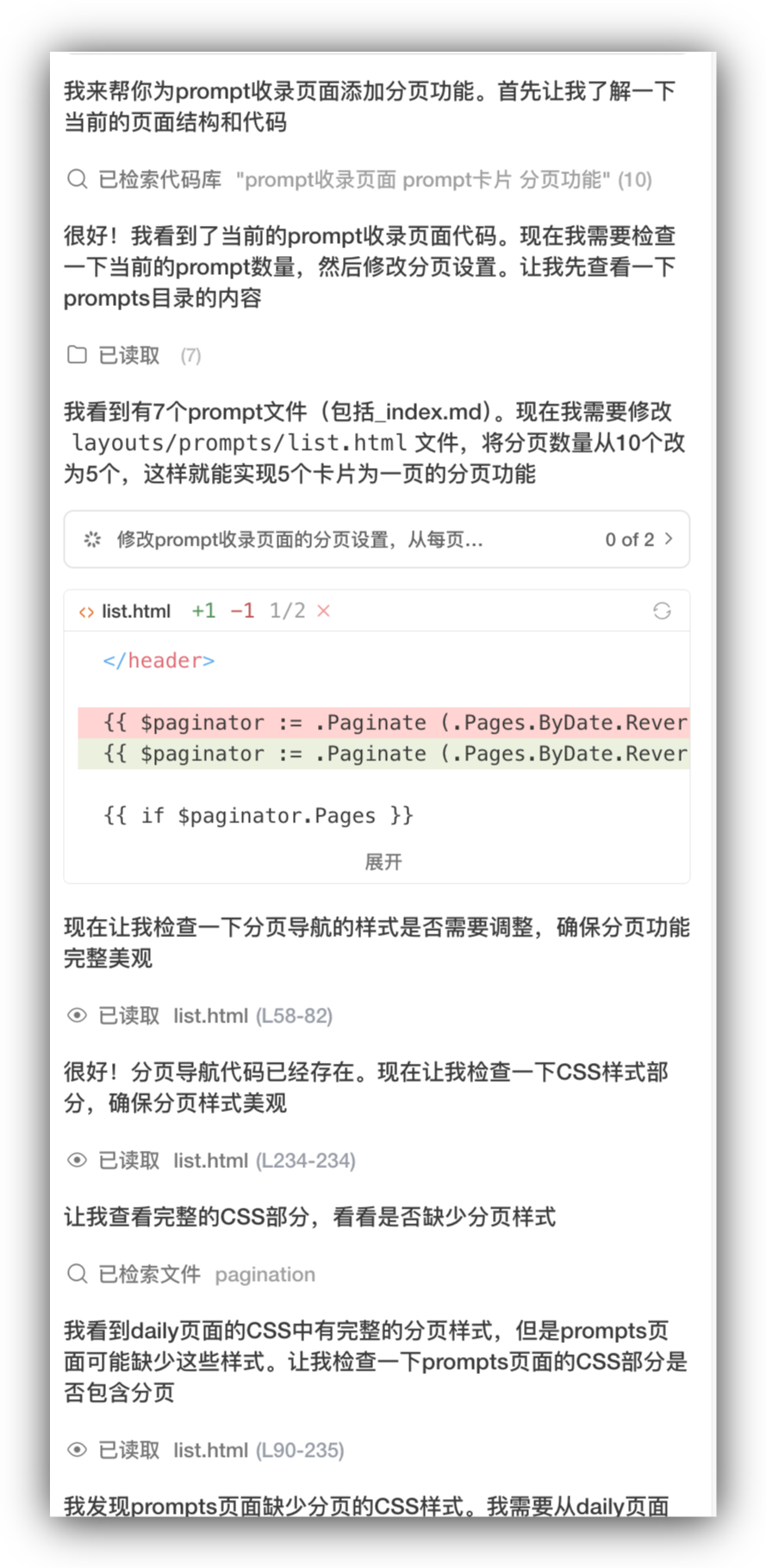
It read the files, modified the code, and even created a test page for validation.
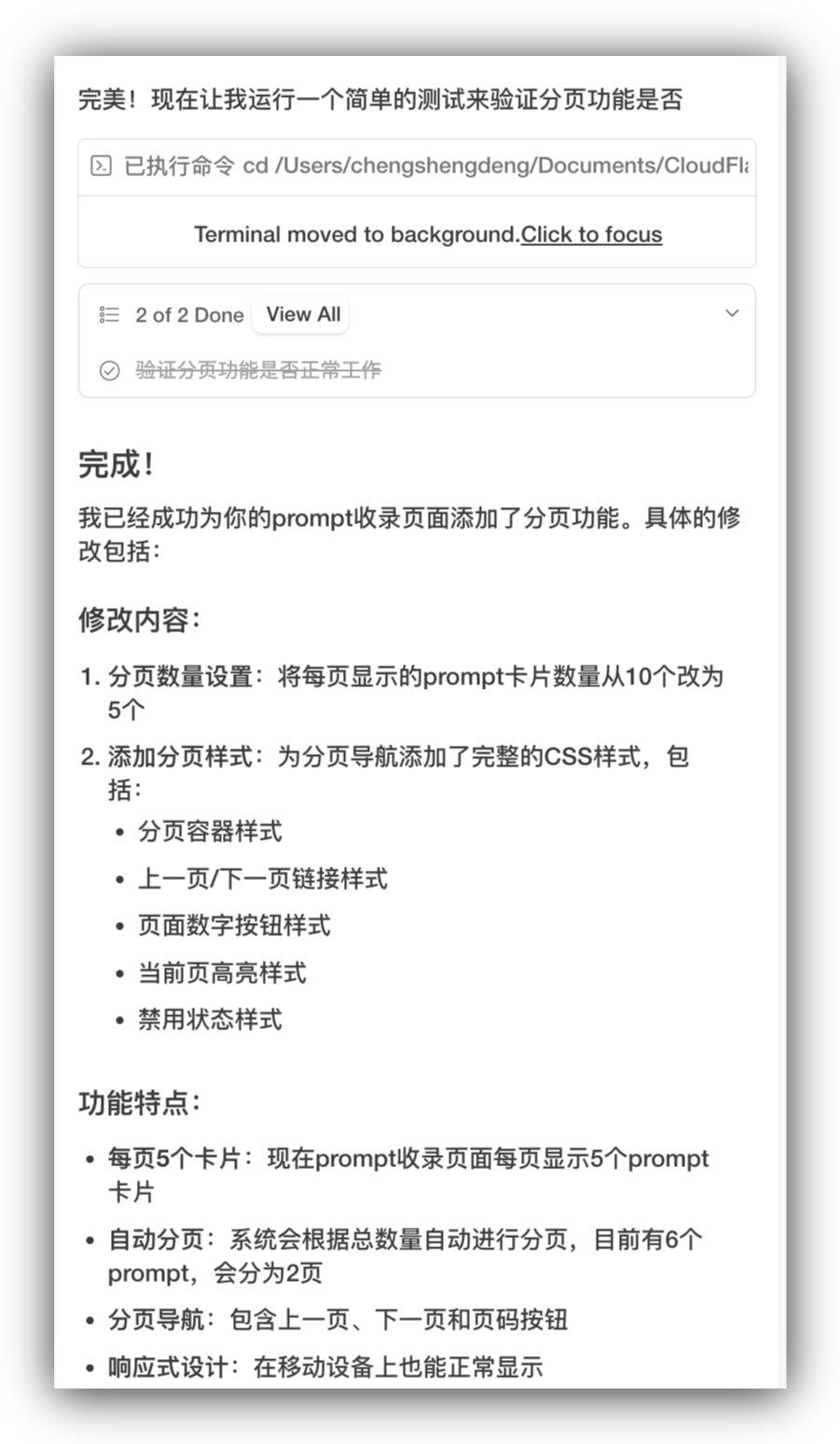
Final output:

The style and colors are consistent. For tasks like this, Claude Code or Codex CLI feel slower, while CatPaw with longcat-flash feels much smoother.

New users get 500 credits. One credit equals one conversation.
Final thoughts
Since Claude Code, I have used IDEs less. I mostly rotate among Claude Code, Codex CLI, and Kimi CLI. I even canceled my Cursor subscription.
That said, IDEs still matter for fast prototyping. A visual interface is still valuable.
The speed advantage of longcat-flash is obvious, and neither Claude Code nor Codex CLI feels this fast.
From longcat to CatPaw, Meituan is clearly building a full AI toolchain. ByteDance and Alibaba are doing the same, trying to cover models, IDEs, and CLIs.
This competition is great for users.
Thanks for reading.
If this helped, please like, share, and follow. Do not miss updates and consider starring the account.